
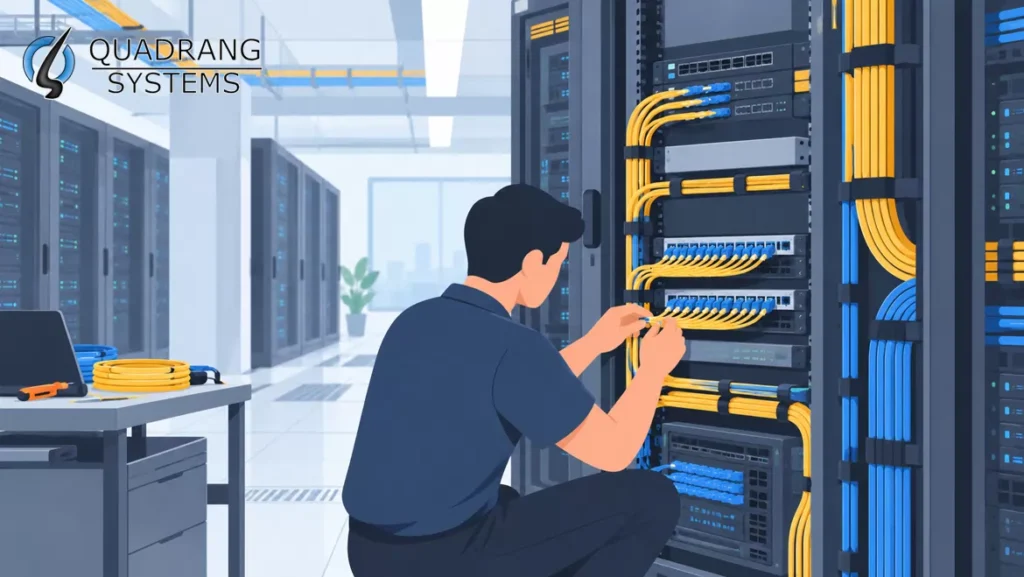
Structured Cabling in IT Racks: An Essential Art in 2026
Wireless gets the attention, but every Wi-Fi 7 access point, 5G small cell and cloud workload still ends at a cable in an IT rack. In 2026, AI workloads, denser PoE devices and multi-gigabit wireless are pushing more traffic and power through that cabling than ever before. A rack that was tidy enough in 2020 may now be a bottleneck.
Structured cabling is the foundation of that infrastructure. This guide covers the fundamentals, the components, and what has changed for network administrators, IT professionals and facility managers.
What is Structured Cabling?
Structured cabling is a standardized approach to telecommunications infrastructure. One organized cabling system carries voice, data, video and building-system signals (IP cameras, access control, HVAC sensors) across a building or campus. Unlike point-to-point cabling, it gives you a single architecture that supports many applications.
It covers the cables, connectors, patch panels and hardware that interconnect every device in an organization’s IT environment. Components can be managed, upgraded and replaced without disturbing the rest of the system.
The methodology follows standards from the Telecommunications Industry Association (TIA), ISO/IEC and regional bodies, which keeps performance and compatibility consistent across vendors.
Core Components of Structured Cabling Systems
Horizontal Cabling Subsystem
Horizontal cabling runs from the telecommunications room to work area outlets and device locations. The permanent link is limited to 90 meters, and the full channel including patch cords to 100 meters. In 2026, Category 6A is the practical baseline for new installations, because it supports 10GBASE-T and the multi-gigabit uplinks that Wi-Fi 7 access points need. In the rack, horizontal cabling connects patch panels to access switches.
Vertical Backbone Cabling
Backbone (riser) cabling connects floors, rooms and buildings. Single-mode fiber (OS2) is now the default for long runs and future upgrades. Multimode (OM4 or OM5) remains common for shorter, cost-sensitive links inside a building or data hall.
Telecommunications Rooms and Equipment Racks
IT racks house switches, routers, servers, patch panels and cable management. Today’s racks must also handle higher power density, heavier loads and, in some facilities, liquid cooling infrastructure, all while keeping airflow and access clear.
Work Area Components
Work area components are the endpoints: wall outlets, desktop connections and the patch cords that link devices to the network. Ceiling-mounted access points, cameras and smart-building devices are now as important as desks.
Cross-Connect and Patch Panel Systems
Cross-connects and patch panels let you reconfigure connections without re-terminating permanent cable runs. High-density and angled patch panels are standard in 2026, as are very-small-form-factor fiber connectors, which fit more ports into each rack unit.
Administrative Infrastructure
Administration covers labeling, documentation and management tools, guided by TIA-606 for labeling and records. Many teams now use DCIM or cable-management software with QR or barcode labels, which makes moves, adds and changes faster and troubleshooting shorter.
Benefits of Structured Cabling in IT Racks
Enhanced Network Performance
Standardized design and certified components limit crosstalk and interference. This matters more as speeds rise, because marginal cabling that worked at 1 Gbps often fails at 10 Gbps.
Simplified Management and Maintenance
Clear labeling and systematic routing mean you can find the right circuit in minutes. This reduces downtime and the risk of someone unplugging the wrong cable.
Future-Proof Scalability
A modular design lets you add capacity or upgrade links without a full rebuild. Installing Category 6A copper and OS2 fiber today covers most upgrades expected over the next decade.
Cost-Effective Operations
Upfront costs are higher than ad-hoc cabling. Over time, fewer outages, faster fixes and simpler changes make structured cabling cheaper to own.
Installation Best Practices for 2026
Planning and Design Considerations
Plan for where your network will be in five to ten years, not where it is today. Estimate bandwidth needs, access point density, PoE loads and any AI or high-performance computing growth. Allow spare capacity in pathways, rack space and power.
Cable Management Techniques
Use proper trays and managers, respect bend radius limits (especially for fiber), separate power and data cabling, and use hook-and-loop ties rather than tight zip ties. Keep a consistent labeling scheme from end to end.
Environmental Factors
Temperature, humidity and airflow all affect equipment life. Cable bundles must not block ventilation or create hot spots, and this matters more with the higher heat output of modern switches and accelerated-compute servers. High-power PoE can also warm large cable bundles, so check bundle sizes and ambient temperature against manufacturer and standards guidance.
Testing and Certification
Certify every link. Copper needs certification-level testing (wire map, length, insertion loss, NEXT and return loss). Fiber needs insertion loss testing and end-face inspection and cleaning, since a dirty connector is among the most common causes of fiber faults. Keep the test reports with your documentation.
Standards and Compliance Requirements
TIA Standards
The TIA-568 series defines performance, installation and testing requirements for commercial building cabling. TIA-942 covers data center infrastructure, and TIA-606 covers administration and labeling. (The Electronic Industries Alliance, once part of the “TIA/EIA” name, was dissolved in 2011.)
International Standards
ISO/IEC 11801 gives global guidelines for generic cabling, and EN 50173 applies in Europe. ISO/IEC 11801-5 addresses data center cabling.
Building Codes and Safety Requirements
Cabling must comply with local building codes, fire ratings (plenum, riser, LSZH where required), electrical codes and fire-stopping rules. In India, check applicable BIS and local fire-safety requirements for your site. Increasing PoE wattage has also made bundle size and cable temperature rating a code and safety question, not only a performance one.
Troubleshooting Common Issues
Signal Quality Problems
Poor terminations, excessive length, damaged cable and electromagnetic interference are the usual causes. Cheap or non-compliant patch cords and copper-clad aluminum cable are a growing source of problems, particularly under PoE loads. Specify solid-copper, certified components.
Physical Damage Prevention
Protect cabling with proper support, correct routing and bend radius control. Inspect regularly. Avoid overloading trays, and take care when adding cables to existing bundles.
Documentation Management
As the cabling plant grows, undocumented changes become a major cause of outages. Use digital tools to track cable runs, ports and changes, and update records every time something is moved.
Future Trends and Technologies
In 2026, several developments are reshaping structured cabling:
- AI and high-density data centers: AI clusters drive demand for 400G, 800G and emerging 1.6T links, with high-fiber-count trunk cabling, MPO connectors and very-small-form-factor fiber connectors in the rack.
- Wi-Fi 7 and multi-gigabit access: Wi-Fi 7 access points can exceed 1 Gbps, so 2.5G, 5G and 10G switch ports and Category 6A horizontal cabling are increasingly the norm.
- Higher-power PoE: IEEE 802.3bt delivers up to 90 W at the powered device, and it is used for access points, PTZ cameras, displays and building systems. This raises the importance of cable category, bundle size and thermal management.
- Fiber everywhere: Fiber is moving closer to the edge, including fiber-to-the-room and zone-cabling designs in offices and campuses.
- Single-pair Ethernet: Single-pair Ethernet is growing in industrial and building automation, and TIA-568.5 covers its cabling.
- 5G today, 6G later: 5G densification and in-building coverage need extra fiber and PoE backhaul. 6G is still in the standards phase, so plan for flexibility rather than specific 6G hardware.
- Smarter infrastructure management: Intelligent patching, DCIM integration and automated documentation are becoming standard in larger facilities.
Conclusion
Structured cabling in IT racks is a strategic investment. Done well, it gives you reliable performance, easier management and room to grow through the next generation of wireless, PoE and AI-driven demand.
The key point for 2026 is that the cabling plant now carries more speed, more power and more heat than it did even a few years ago. Standards-based design, quality components, careful installation, certified testing and good documentation will keep it stable as requirements change.
Frequently Asked Questions
What are the 6 components of structured cabling?
The six main components are horizontal cabling, backbone cabling, telecommunications rooms (including equipment racks), work area components, cross-connect and patch panel systems, and the administrative infrastructure for labeling and documentation. (Some references list entrance facilities or equipment rooms in place of administration.)
What is the difference between structured and unstructured cabling?
Structured cabling follows standardized design, organized pathways and documented, labeled connections. Unstructured cabling uses ad-hoc point-to-point runs with no systematic organization, which makes it hard to scale, troubleshoot or upgrade.
What are the 3 categories of structured cabling standards?
Standards are commonly grouped by environment. These are commercial building standards (TIA-568), residential standards (TIA-570) and outside plant standards (TIA-758). Data center (TIA-942) and administration (TIA-606) standards add further coverage.
What are the three types of cabling?
The three primary types are copper twisted-pair cabling, fiber optic cabling and coaxial cabling. In modern structured cabling, twisted-pair and fiber carry most of the load.
Which cable category should I choose in 2026?
For most new commercial installations, Category 6A is the safe choice for horizontal runs, with OS2 single-mode fiber for backbone. Category 8 is for short, specialized data center links.
Need Expert Network Support? Contact Quadrang Systems today for professional 24/7 Network Operations & Data Center Support services. Our experienced team provides comprehensive outsourced solutions to keep your structured cabling systems running at peak performance.


